No matter whether you’re a neat and organized person, these few tips listed below will help you keep track with time, location, notes for your upcoming photoshoots or even ones that happened years ago.
It depends on how you usually communicate with your customers to start, but at the end of the day, it’s super easy. My personal tip is to online calendars such as Tiny Calendar, Apple Calendar or Google Calendar that you’re able to access anywhere. Why do I recommend to do so? There’re may features and tools that can help you to organize any information that you need to write down “somewhere” to be able to show up in time and right place.
Personally, I love Google Calendar. It has so many small features that I can confidently consider them as “life changing tools”.
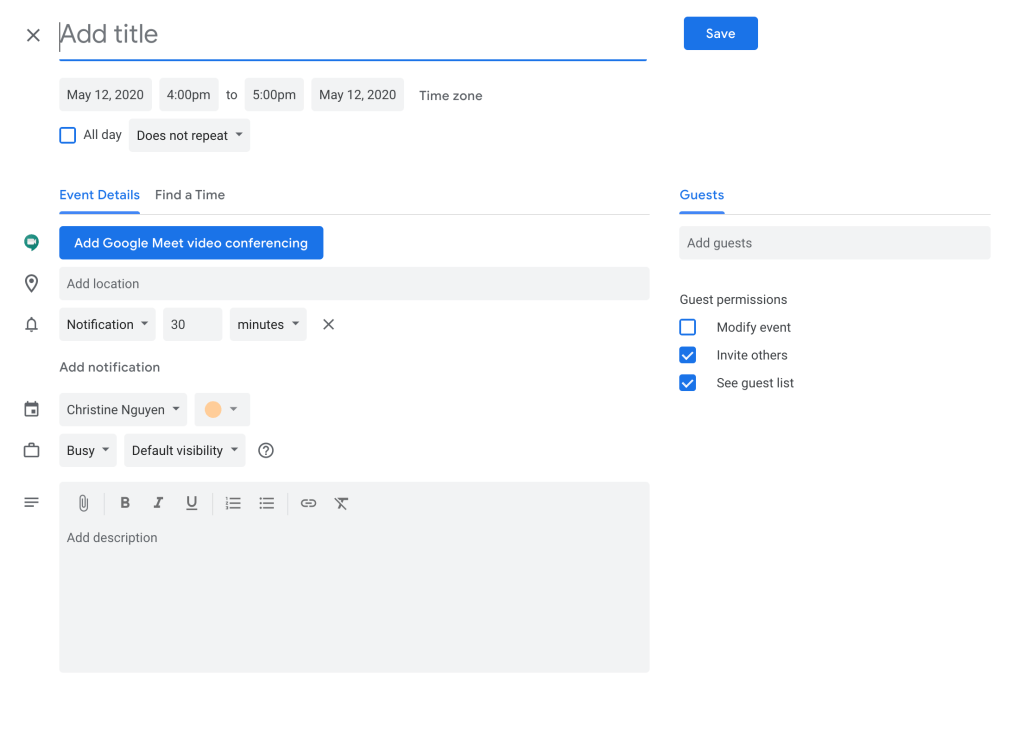
As you see in the picture, after you and clients decide time and location for the shoot, you can go ahead to put down all the information with different tabs the app provided. The great things about this application is that you can put in little customized notes about the photoshoot such as bring an umbrella, buy entrance tickets, etc. You can send this appointment info to your clients through email, so you guys can keep track of everything. Furthermore, it’s super easy to set up a call to discuss more about little concerns prior to the photoshoot.
 speak.via